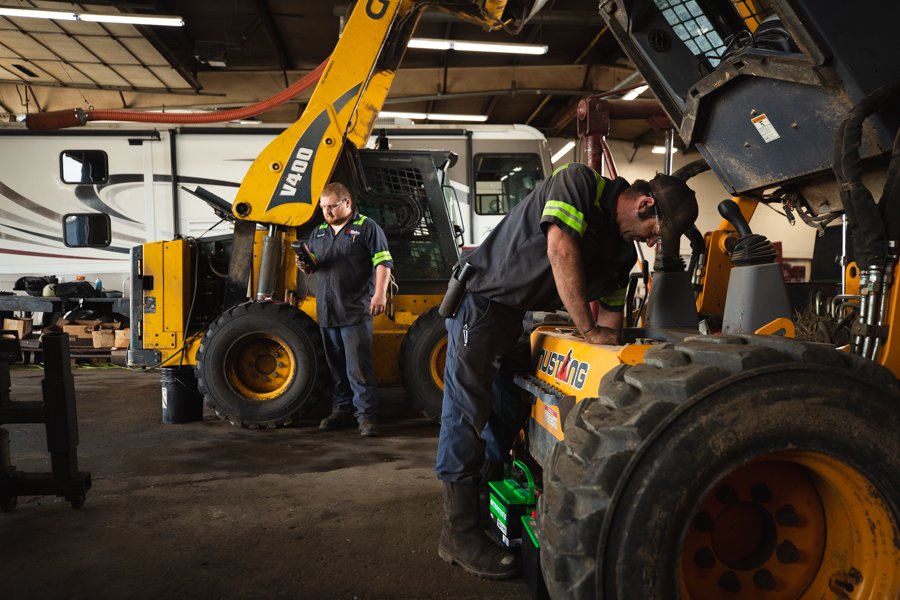
Heavy machinery plays an essential role in construction, mining, agriculture, manufacturing, and transportation. From excavators and bulldozers to cranes and heavy-duty industrial equipment, businesses rely on these machines to complete demanding jobs efficiently. However, frequent breakdowns, unexpected maintenance requirements, parts shortages, and complicated repair processes can disrupt operations and increase expenses. Heavy machinery repair software helps businesses organize repair workflows, manage maintenance schedules, track parts, and maintain accurate service records from one centralized system.
Whether you operate a heavy equipment repair shop or manage a fleet of construction machinery, the right software can simplify daily operations and help your team make better maintenance decisions. Understanding its features and benefits can help you choose a solution that fits your business requirements.
What Is Heavy Machinery Repair Software?
Heavy machinery repair software is a digital management solution designed to help repair shops, equipment service providers, and fleet operators manage maintenance and repair activities. It replaces many manual processes, such as paper-based work orders, spreadsheets, handwritten service records, and disconnected inventory logs.
Using this software, businesses can create repair orders, assign jobs to technicians, track labor hours, monitor spare parts, prepare estimates, and generate invoices. Many solutions also support preventive maintenance scheduling, equipment service history tracking, and maintenance reporting.
For example, when an excavator arrives at a repair facility with an engine problem, the service team can create a work order, document the issue, assign a technician, record the parts used, and update the equipment’s repair history. This information helps managers monitor job progress and keep customers informed.
Why Do Businesses Need Heavy Machinery Repair Software?
Managing heavy equipment repairs involves more than fixing mechanical problems. Repair facilities must coordinate technicians, source replacement parts, communicate with customers, track job expenses, and ensure that equipment returns to service as quickly as possible.
Without a centralized management system, these tasks can become difficult to coordinate.
1. Reduce Equipment Downtime
Unexpected equipment failures can delay construction projects, interrupt production, and affect delivery schedules. Repair management software helps teams organize incoming jobs, prioritize urgent repairs, and track work order progress.
With better visibility into maintenance requirements and repair status, managers can identify delays and allocate technicians more effectively. Although software cannot eliminate every breakdown, it can help businesses respond faster and reduce avoidable downtime.
2. Organize Repair Workflows
Paper-based processes make it difficult to determine which repairs are pending, which technicians are available, and which jobs require additional parts.
Heavy machinery repair software centralizes this information. Managers can monitor active work orders, assign responsibilities, record diagnostic findings, and track jobs through different repair stages.
A more organized workflow reduces confusion and helps employees focus on completing repairs accurately and efficiently.
3. Improve Maintenance Planning
Preventive maintenance is important for equipment that operates under demanding conditions. Regular inspections, fluid changes, lubrication, and component replacements can help identify potential problems before they cause major failures.
Maintenance software allows businesses to schedule service based on dates, operating hours, mileage, or other supported maintenance triggers. Automated reminders help teams prepare for upcoming service requirements.
4. Maintain Accurate Service Records
Detailed service records help technicians understand an asset’s repair history and identify recurring problems. Instead of searching through paper files, employees can access available digital records to review previous repairs, parts replacements, inspections, and maintenance activities.
These records also help managers evaluate equipment reliability and make informed decisions about future maintenance.
Key Features of Heavy Machinery Repair Software
When evaluating a repair management solution, businesses should focus on features that address their actual operational challenges.
Work Order Management
Work order management helps organize repair jobs from initial inspection to final completion. Teams can document equipment problems, record customer requests, assign technicians, and update job status.
A centralized work order system makes it easier to track pending repairs, identify bottlenecks, and maintain consistent service documentation.
Preventive Maintenance Scheduling
Preventive maintenance scheduling helps businesses plan routine servicing before equipment develops serious mechanical problems. Depending on the software, managers can set maintenance intervals based on operating hours, calendar dates, or equipment-specific requirements.
Notifications and upcoming maintenance reports help service teams prepare technicians, tools, and replacement parts in advance.
Parts and Inventory Management
Heavy machinery repairs often require specialized components, filters, hydraulic parts, belts, bearings, and other replacement items. Poor inventory control can delay repairs when essential parts are unavailable.
Inventory management features help businesses monitor stock levels, record parts used on repair jobs, and identify items that need replenishment. Some systems also support supplier records and purchase order workflows.
Technician Scheduling and Labor Tracking
Repair shops need to assign the right technicians to jobs based on availability, experience, and workload. Scheduling tools help managers coordinate assignments and monitor job progress.
Labor tracking also allows businesses to record technician hours against individual repair orders. These records support more accurate invoicing, job analysis, and operational planning.
Estimates and Invoicing
Preparing accurate estimates and invoices is essential for repair businesses. Software can help teams document labor, parts, and other billable services before generating customer estimates.
Once the work is completed, recorded job information can support invoice preparation and reduce repetitive administrative tasks. Clear documentation also helps customers understand the work performed and the charges associated with a repair.
Equipment Service History Tracking
Service history tracking creates a record of maintenance and repair activities associated with each machine. Technicians can use these records to understand previous failures, review completed work, and identify recurring service needs.
For businesses operating multiple assets, this feature makes it easier to manage equipment information without relying on scattered files or individual employees’ memories.
Reporting and Performance Monitoring
Reporting tools help managers evaluate repair workloads, technician productivity, parts usage, and maintenance activity. Depending on the system, reports may also provide insights into repair turnaround times and recurring equipment problems.
These insights allow businesses to identify inefficient processes and make more informed decisions about staffing, inventory, and maintenance planning.
How Heavy Machinery Repair Software Benefits Repair Shops
Heavy equipment repair shops face unique operational challenges because many machines require specialized diagnostics, experienced technicians, and expensive replacement parts.
A suitable software solution can help address these challenges in several ways.
Better job visibility: Managers can see which jobs are awaiting inspection, approval, parts, or completion.
More efficient administration: Digital work orders and customer records reduce the need for repetitive paperwork.
Improved customer communication: Organized repair information helps service teams provide more consistent updates about job progress and outstanding work.
More accurate billing: Recording labor and parts against individual jobs helps technicians and administrative staff prepare invoices using documented information.
Stronger operational planning: Repair reports help managers understand workload patterns and identify areas where processes can improve.
For repair businesses serving construction companies, equipment rental providers, agricultural operators, and industrial customers, these improvements can make day-to-day service operations easier to manage.
Heavy Machinery Repair Software vs. Fleet Maintenance Software
Heavy machinery repair software and fleet maintenance software share several features, but their primary purposes may differ.
| Capability | Heavy Machinery Repair Software | Fleet Maintenance Software |
|---|---|---|
| Repair work orders | Organizes equipment repair jobs | Organizes vehicle and asset repairs |
| Technician management | Supports shop workflows and job assignments | Supports maintenance teams and service schedules |
| Preventive maintenance | Helps schedule machinery servicing | Helps schedule maintenance across fleet assets |
| Parts tracking | Tracks components used in equipment repairs | Tracks parts required for fleet maintenance |
| Service history | Maintains equipment repair records | Maintains vehicle and asset maintenance records |
| Estimates and invoicing | Particularly useful for customer-facing repair shops | Depends on the software and business model |
| Fleet-wide visibility | Available in systems designed for multiple assets | Often a central focus |
The distinction is not absolute. Many platforms offer both repair shop management and fleet maintenance capabilities. Businesses should evaluate each product’s actual features rather than relying solely on its category or marketing description.
How to Choose the Right Heavy Machinery Repair Software
Choosing software requires an understanding of your equipment, team size, repair processes, and business objectives.
Identify Your Business Requirements
Start by determining whether you operate an independent repair shop, an in-house maintenance department, or a fleet of heavy equipment. A customer-facing repair shop may prioritize estimates, invoicing, work orders, and customer communication. A fleet operator may place greater emphasis on preventive maintenance, asset records, and equipment availability.
Evaluate Ease of Use
Technicians and service advisors should be able to use the system without unnecessary complexity. Look for straightforward work order creation, accessible service histories, and clear job status updates.
If employees work at multiple locations or in the field, consider whether the platform offers mobile access and whether its features work in environments with limited connectivity.
Check Integration Capabilities
Your repair workflow may depend on accounting systems, inventory tools, parts suppliers, or other business applications. Confirm which integrations are available and whether they support your existing processes.
Do not assume every platform integrates with every accounting, telematics, or diagnostic system.
Review Reporting and Scalability
Choose a solution that can accommodate your current workload while supporting future growth. Consider whether it can manage multiple equipment types, locations, technicians, and customers.
Review the reports available and determine whether they provide information your team can use to improve maintenance planning and repair operations.
Compare Pricing and Support
Software pricing can depend on user count, features, equipment volume, and subscription terms. Ask vendors about implementation, training, data migration, customer support, and any additional fees.
A product demonstration or trial can help you determine whether the software fits your workflow before making a long-term commitment.
Common Challenges the Software Can Help Address
Heavy machinery service businesses often experience similar operational problems, including:
- Unplanned breakdowns: Maintenance reminders and service tracking can help teams identify overdue maintenance and respond to developing issues.
- Missing repair information: Centralized digital records make equipment history easier to retrieve.
- Parts shortages: Inventory tracking helps identify low-stock items and supports better purchasing decisions.
- Scheduling conflicts: Technician assignments and work order visibility help managers coordinate workloads.
- Billing inconsistencies: Documented labor and parts information supports more reliable estimates and invoices.
- Limited performance visibility: Reporting tools help managers evaluate repair activity and identify process improvements.
The software’s effectiveness depends on accurate data, consistent employee usage, appropriate maintenance procedures, and the capabilities of the selected platform.
Is Heavy Machinery Repair Software Suitable for Small Repair Shops?
Yes. Small and independent repair shops can benefit from heavy machinery repair software when administrative tasks and repair coordination consume too much time.
A smaller shop may not need an advanced enterprise system with extensive integrations. Instead, it may benefit most from digital work orders, technician scheduling, customer records, parts tracking, and simple invoicing.
As the business grows, additional features such as preventive maintenance automation, advanced reporting, and multi-location management may become more important.
The key is to choose a solution that addresses current problems without introducing unnecessary complexity.
Frequently Asked Questions
What is the best heavy machinery repair software?
The best option depends on your business model, equipment types, team size, and required features. Compare work order management, preventive maintenance scheduling, inventory tracking, estimates, invoicing, reporting, and integration capabilities before selecting a platform.
Can heavy machinery repair software schedule preventive maintenance?
Many solutions support preventive maintenance scheduling based on calendar intervals, operating hours, or other supported triggers. This helps maintenance teams plan routine servicing and monitor upcoming service requirements.
Does heavy equipment repair software track spare parts?
Many repair management platforms include inventory features that help businesses track stock levels, record parts used on repair jobs, and identify replenishment needs. Available functionality varies by provider.
Can repair software help reduce equipment downtime?
It can help reduce avoidable downtime by improving maintenance planning, repair scheduling, work order visibility, and access to service records. However, equipment condition, operator practices, parts availability, and repair complexity also affect downtime.
What is the difference between equipment repair software and CMMS?
Equipment repair software often focuses on repair jobs, work orders, technicians, parts, and service administration. A computerized maintenance management system (CMMS) typically emphasizes maintenance planning, preventive maintenance, asset management, and maintenance reporting. Some platforms combine both sets of capabilities.
Is cloud-based heavy machinery repair software worth considering?
Cloud-based software can provide access to centralized repair information from supported devices and locations. It may also simplify updates and collaboration. Businesses should evaluate data security, internet requirements, backup policies, and subscription pricing before choosing a cloud solution.
Final Thoughts
Heavy machinery repair software helps repair shops and equipment operators bring maintenance records, work orders, technician assignments, inventory, and repair administration into a more organized workflow. By reducing manual tasks and improving access to service information, businesses can coordinate repairs more effectively and make better-informed maintenance decisions.
The right solution should match your equipment requirements, existing processes, and growth plans. Before investing, evaluate the features you actually need, compare available platforms, and test how well each option supports your team’s everyday repair activities. A well-implemented system can become a valuable part of maintaining reliable equipment and delivering consistent repair services.