
Smooth, fast, and secure payment processing is the need of today’s modern businesses. Connecting an online payment gateway is the best way to collect money from customers without manual efforts. A very useful tool to do this is to integrate a payment gateway with Odoo, an open-source business management software. For this business, it needs experts who know how to work on Odoo software. With the help of Odoo Training, you can learn it easily and become professional in this software.
In this article, you will understand what Odoo is, why it is important to integrate payment gateway and the step by step approach to set it up.
What is Odoo?
Odoo is a complete business management software (commonly known as an ERP system). It combines a range of corporate processes such as sales, inventory, accounting, CRM, e-commerce and invoicing into one consolidated system.
Instead of using separate software to manage goods, send invoices, and handle client details, Odoo allows companies to manage their entire business from one location.
Why Integrate Payment Gateway with Odoo?
Payment gateway integration with Odoo connects your e-commerce platform with a number of payment service providers. This link is a crucial bridge.
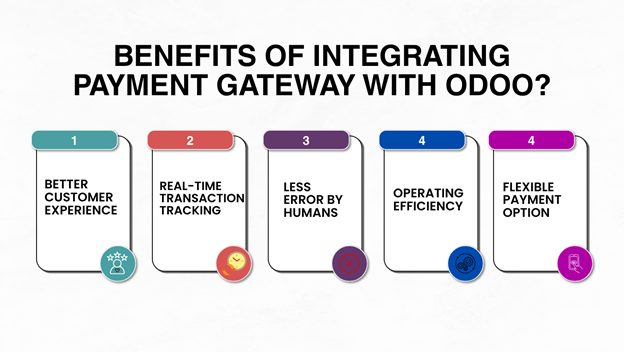
Better Customer Experience:
In the commercial world, the client experience is king. A tough checkout process can lead to cart abandonment and unhappy customers. It consolidates the payment process, streamlining the payment journey, and decreasing the number of steps required to finalize a transaction.
Real-time Transaction Tracking:
Verifying that payments have cleared gives you the ability to budget and communicate with clients. This connection enables businesses to see the payment status in real time.”
Less Error by Humans:
Manual data entry is error-prone, leading to inaccuracies and delays. The data transfer between Odoo and the payment gateway is automated, which minimizes the errors in the organizations that are caused by humans.
Operating Efficiency:
When you link a payment method to Odoo, these things will automatically happen. This frees up resources for businesses to concentrate on more important projects. The payments are automatically tracked, reminders are sent, and the updates on transactions are smooth. All these improve the working efficiency greatly.
Flexible Payment Option:
Odoo can work with many payment gateways; this gives businesses the ability to cater to a wide range of customers. It allows them to reach and serve more people.
Integrate Payment Gateway with Odoo (Step by Step)
Odoo provides integrated connectors for popular payment gateway providers such as Stripe, PayPal, Razorpay, and Authorize.net.
The simple steps are:
Step 1: Before setting up Odoo, you need to have an active merchant account on the payment platform you want to use.
Step 2: Log in to your Odoo database with the admin user, open the accounting app, select configuration in the top menu, and select payment providers.
Step 3: You will see a list of supported payment sources. Choose the provider to use and select it to display the config page.
Step 4: Change the status from disable to enabled from the provider page. Click the credentials tab. Insert the API keys.
Step 5: Set up Messages and Settings In the Configuration tab you can edit such things as accepted payment icons (Visa, Mastercard, etc), supported currencies, and maximum payment limits. You can also edit the automated message when the payment is successful or failed.
Step 6: Save your project and run it to test that it works. You are able to create a test order or sample transaction to check that your Odoo webstore is working fine. To test the checkout process, click the “Pay Now” button and make sure that payments automatically change the status of the invoice.
These steps need to be followed and must be correct. It required a skilled person to do this. With an Odoo Certification you can ensure your ability to do the integration perfectly. If you are a fresher, you can learn these skills and certifications by enrolling in training provided by IT institute.