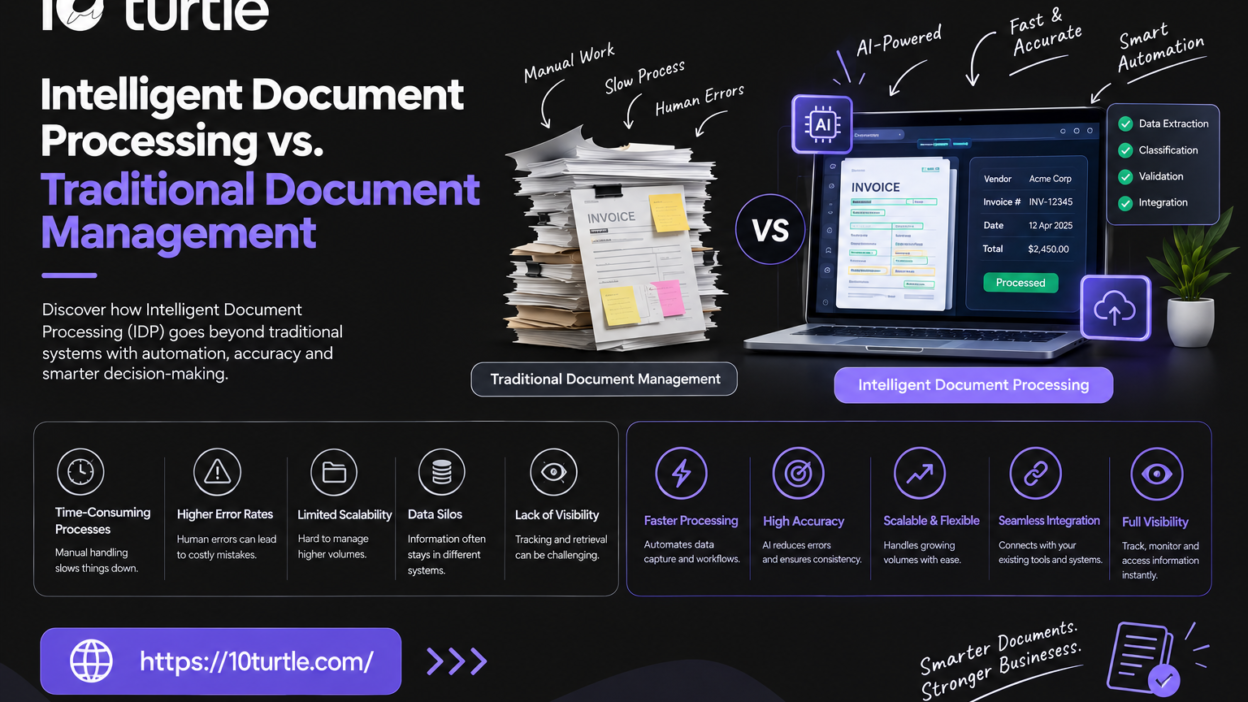
Every US business runs on documents: invoices, contracts, claims, onboarding forms, purchase orders, and compliance records. The question is no longer whether you need to manage them, but how much of the work should still depend on people. Intelligent document processing uses AI to read, understand, and route the information inside your documents, while a traditional document management system focuses on storing and organizing the files themselves.
The two are often confused, and choosing the wrong one can leave teams re-keying data by hand or paying for automation they don’t need. This guide explains how each approach works, where they differ, what they cost, and how to decide.
Understanding the Two Approaches
What Is Traditional Document Management?
A traditional document management system (DMS) is a digital filing cabinet. It stores files in a central repository, organizes them with folders and metadata, controls who can view or edit them, and keeps version history and audit trails. Many also offer search, check-in/check-out, and basic approval workflows.
A DMS answers the question: Where is this document, who can access it, and what version is current? It treats the document as a container. What’s written inside is usually invisible to the system unless someone tags it manually.
What Is Intelligent Document Processing?
Intelligent document processing (IDP) is a technology that captures documents, understands their content, and turns it into structured, usable data. It combines optical character recognition (OCR) with machine learning and natural language processing to classify documents, extract fields, validate results, and push data into the systems that need it.
IDP answers a different question: What does this document say, and what should happen because of it? An invoice doesn’t just get filed; the vendor, amount, due date, and line items are pulled out, checked against a purchase order, and sent to your accounting system.
How Does Intelligent Document Processing Work?
Most IDP software follows a similar pipeline:
- Capture: Documents arrive from email, scanners, uploads, APIs, or cloud storage.
- Classification: The system identifies the document type (invoice, bank statement, medical form, contract).
- Data extraction: Machine learning models pull out key fields, even from layouts they haven’t seen before.
- Validation: Business rules and confidence scores flag uncertain results for human review. This is the “human-in-the-loop” step.
- Integration: Verified data flows into your ERP, CRM, claims platform, or database.
- Learning: Corrections feed back into the models so accuracy improves over time.
Key Differences at a Glance
| Factor | Traditional Document Management | Intelligent Document Processing |
|---|---|---|
| Core purpose | Store, organize, and secure files | Understand and extract data from content |
| Handles unstructured data | Limited; relies on manual tagging | Strong; reads text, tables, and layouts |
| Data entry | Manual | Largely automated, with human review of exceptions |
| Workflow | Rule-based routing by metadata | Content-driven routing and decisions |
| Search | By filename, folder, and tags | By content and extracted values |
| Best for | Records retention, collaboration, version control | High-volume, data-heavy document workflows |
| Scalability | Scales storage easily; processing stays manual | Scales processing volume without proportional headcount |
Why This Decision Matters for Businesses
Key Benefits of Each Approach
Document management systems give you order and control. They reduce lost files, enforce access permissions, support retention policies, and create audit trails that help with compliance frameworks such as SOC 2 or HIPAA.
Intelligent document processing gives you speed and accuracy on the work that happens inside documents. It cuts manual data entry, shortens processing cycles, reduces keying errors, and turns static files into data you can analyze.
Common Business Use Cases
- Finance and accounts payable: invoice capture, three-way matching, expense processing.
- Insurance: claims intake, policy documents, supporting evidence.
- Healthcare: patient intake forms, referrals, and explanation-of-benefits documents.
- Banking and lending: loan packets, ID verification, income documents.
- Logistics: bills of lading, customs paperwork, delivery receipts.
- Legal and HR: contract review, onboarding paperwork, employee records.
A DMS fits best where the priority is governance, collaboration, and long-term record keeping. IDP fits best where volume is high, formats vary, and someone is currently retyping information from documents into another system.
Important Factors to Consider
Cost and Implementation
A document management system is generally simpler and less expensive to roll out. Costs usually come from licensing, storage, user seats, and migration of existing files.
IDP involves more up-front work: defining document types and fields, training or configuring models, setting confidence thresholds, and building integrations. Pricing is often tied to document or page volume, so costs scale with usage. The return typically shows up as reduced processing time, fewer errors, and staff freed for higher-value work. Exact savings depend on your volumes and current process, so it’s worth modeling your own numbers before committing.
A practical tip: start with one high-volume, well-defined workflow, such as accounts payable invoices, prove the value, and expand from there.
Technology and Integration
Neither technology works well in isolation. Evaluate:
- Integration with existing systems: ERP, CRM, accounting, and case management platforms.
- Accuracy on your actual documents: test with real samples, including messy scans and unusual layouts.
- Security and compliance: encryption, role-based access, data residency, and audit logging, especially for regulated US industries.
- Human-review tools: a clean interface for exceptions matters as much as the AI itself.
- Scalability: how the platform handles seasonal spikes or growing document volume.
Can the Two Work Together?
Yes, and this is often the best answer. Many organizations keep a document management system as the system of record while adding intelligent document processing in front of it. IDP reads and classifies incoming documents, extracts the data, and then stores the file and its metadata in the DMS automatically. You get the governance of one and the automation of the other.
How to Choose the Right Approach
Ask these questions:
- Is your main problem finding and controlling files, or extracting and acting on the information in them?
- How many documents do you process each month, and how much of that is manual data entry?
- How varied are your document formats? Highly varied or unstructured documents favor IDP.
- What are your compliance and retention requirements? These usually require a DMS or equivalent records system.
- Do you have the integration capacity? IDP delivers the most value when connected to downstream systems.
Rule of thumb: if your pain is disorganization, start with document management. If your pain is manual processing, look at intelligent document processing. If you have both, combine them.
Choosing the Right Technology Partner
Off-the-shelf tools work well for standard documents, but many businesses have unusual forms, legacy systems, or compliance needs that call for tailored solutions. When evaluating a provider, look for:
- Proven experience in AI, machine learning, and system integration
- A willingness to test on your real documents before you commit
- Clear security practices and relevant compliance experience
- Support for custom workflows and human-review steps
- Transparent pricing and a realistic implementation roadmap
A development partner such as 10Turtle can help design and build document automation that fits your workflows, from custom AI-powered extraction to integrations with your existing platforms.
Frequently Asked Questions
What is the main difference between intelligent document processing and document management?
Document management stores, organizes, and secures files. Intelligent document processing reads the content of those files, extracts the data, and automates what happens next. One manages documents as files; the other works with the information inside them.
Is intelligent document processing the same as OCR?
No. OCR converts images of text into machine-readable text. IDP builds on OCR by adding classification, context-aware extraction, validation, and integration, so the system understands what the text means, not just what characters appear.
Can a document management system extract data automatically?
Some modern systems offer basic capture or OCR add-ons, but most traditional document management software depends on manual indexing. For reliable extraction from varied layouts, IDP is the stronger option.
Is intelligent document processing worth it for small and mid-sized businesses?
It can be, when a team spends significant time on repetitive data entry. If your document volume is low or highly standardized, simpler tools may be enough. A pilot on one workflow is a low-risk way to find out.
Does intelligent document processing replace human workers?
Typically not entirely. Well-designed IDP systems automate routine extraction and send low-confidence results to people for review. Staff shift from typing data to verifying exceptions and handling higher-value work.
Can I use both together?
Yes. Many companies use IDP to process incoming documents and a document management system to store and govern them afterward.