IntroDuction
Modern schools manage large amounts of information every day. Admission teams handle enquiries and applications, accountants collect fees, teachers record attendance and marks, administrative teams manage transport and employees, and school leaders depend on reports to monitor overall performance.
When these activities are managed through separate spreadsheets, registers or disconnected applications, the same information often needs to be entered multiple times. This increases administrative work and may result in inconsistent student records, delayed reports and communication gaps.
ERP modules for schools address this challenge by connecting academic, administrative and communication processes through a centralized platform. However, schools should evaluate more than the number of modules offered by a provider. The most important consideration is how effectively those modules work together.
What Are ERP Modules for Schools?
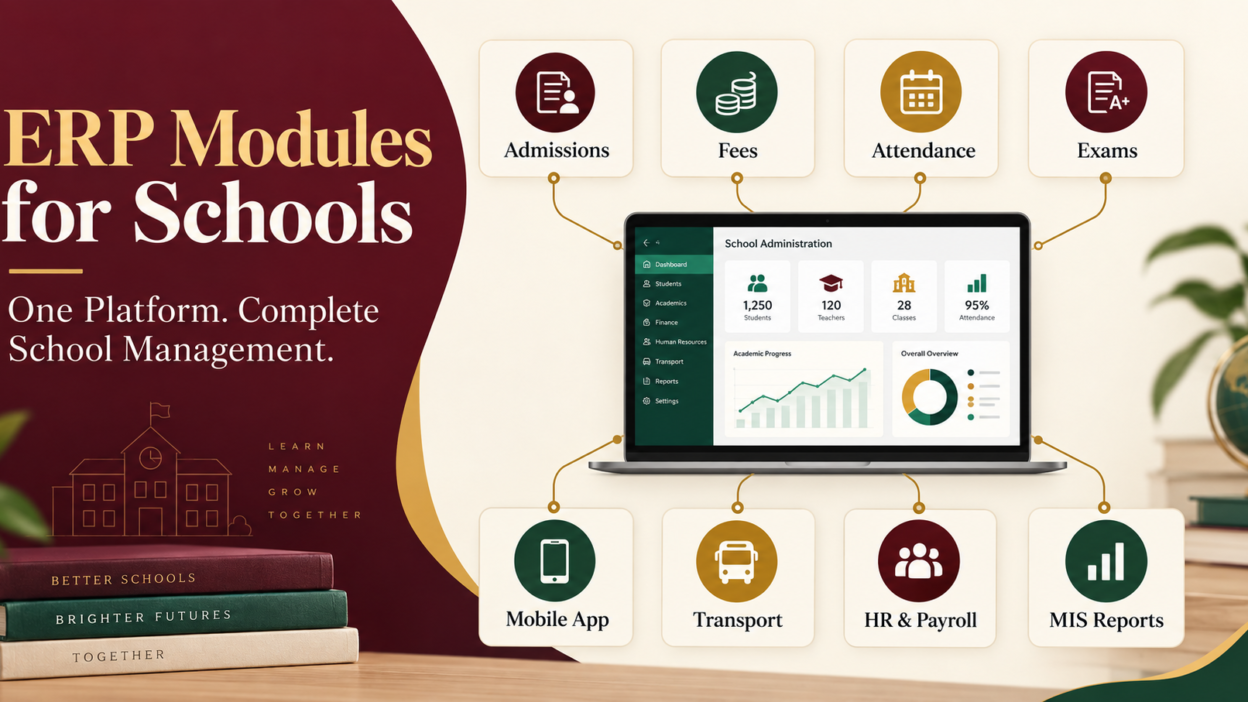
School ERP modules are specialized software components designed to manage different areas of school operations. Each module performs a specific function, such as admission management, fee collection, attendance recording or examination processing.
Although modules can be evaluated individually, their real value comes from integration. Information entered and approved in one module should become available to other authorized departments without unnecessary data entry.
For example, once an applicant’s admission is confirmed, the system should create an active student profile. The school can then assign the student to a class, apply the correct fee structure, record attendance, process examination results and provide parents with mobile-app access.
A connected workflow improves data consistency and allows departments to work from the same approved information.
Essential ERP Modules for Schools
The exact requirements may vary according to the institution’s size, board, academic structure and number of branches. However, the following modules are commonly required by private schools, CBSE schools and large educational institutions.
1. Enquiry and Admission Management
The enquiry and admission module helps schools manage the complete applicant journey. It can record prospective-student details, enquiry sources, follow-up activities, applications, uploaded documents, entrance assessments, admission status and initial payments.
A structured admission system enables the school to understand how many enquiries were received, which applicants require follow-up and how many applications were converted into confirmed admissions.
When admission is approved, the applicant’s verified information should be transferred to the student information system without requiring staff to create the record again.
2. Student Information Management
Student information management acts as the central database of the School ERP. It may contain:
- Student and guardian information
- Contact details
- Uploaded documents
- Medical information
- Previous academic records
- Class, section and roll number
- Sibling information
- Transport allocation
- Fee category
- Academic and attendance history
Because this module contains sensitive information, schools should carefully evaluate role-based access and permissions. Teachers, accountants, administrators and management personnel should only access the information required for their responsibilities.
3. Fee Management
Fee collection is one of the most important administrative processes within a school. A fee-management module can help configure class-wise structures, transport charges, optional fees, concessions, instalments, late-payment rules and payment schedules.
It may also support online payments, receipt generation, refunds, outstanding-dues monitoring and collection reports.
Before selecting a platform, schools should confirm whether it supports their existing fee policies. They should also verify payment-gateway charges, reconciliation processes, receipt formats and accounting-integration requirements.
4. Attendance Management
An attendance-management module enables teachers to record daily or period-wise attendance. The information may update attendance registers, student profiles, management dashboards and parent alerts.
A practical attendance system should be quick and simple for teachers. If everyday attendance requires too many steps, staff adoption can become difficult.
Management reports can help identify frequent absences, class-level patterns and overall attendance trends. Schools using biometric devices should confirm whether the required integration is available.
5. Timetable and Academic Management
Academic management may include class timetables, teacher schedules, subject allocation, lesson plans, syllabus progress, homework and assignments.
The module should make routine academic work easier rather than creating an additional reporting burden for teachers. During the demonstration, teachers should be allowed to perform common tasks instead of only watching a prepared presentation.
6. Examination and Report-Card Management
An examination module manages assessment structures, subject combinations, marks entry, grades, result approval and report-card generation.
Academic and grading requirements can differ significantly between schools. Therefore, a provider should demonstrate the platform using the institution’s actual examination structure and report-card format.
Schools should also test corrections and exceptions. For example, they can ask what happens when marks are uploaded incorrectly, a subject is changed or a result must be reviewed before publication.
7. Parent and Teacher Mobile Applications
Mobile applications provide convenient access to relevant information for parents, teachers, students and management.
Parents may use the application to view:
- Attendance
- Homework and assignments
- Fee receipts and outstanding dues
- Circulars and announcements
- Examination schedules
- Results and report cards
- Transport-related information
Teachers may require attendance, homework, marks-entry and communication tools. Management users may need dashboards, approvals and important alerts.
Schools should evaluate the application on actual Android and iOS devices. Notification delivery, ease of use, multiple-child access, permissions and peak-time performance should be tested before selection.
8. Parent Communication Management
Communication modules help schools distribute circulars, announcements, academic updates and emergency notices. Messages may be delivered through mobile applications, SMS, email or other supported channels.
A centralized communication system reduces dependence on unofficial groups and creates an authorized record of important notices. Schools should confirm delivery reports, user permissions and any usage-based communication charges.
9. Transport Management
The transport-management module may maintain vehicles, routes, stops, drivers, attendants and student allocations. Where supported, GPS integration can provide location-related information to authorized users.
Schools should test real operational scenarios, including route changes, temporary stop modifications and student reassignment. GPS devices, SIM charges and third-party integrations may involve additional costs, so these must be clearly stated in the quotation.
10. HR and Payroll Management
Schools employ teachers, administrative personnel, drivers, support teams and other staff members. HR and payroll modules help maintain employee profiles, attendance, leave, salary structures, deductions and payslips.
Institutions should verify whether the system supports their salary process and required integrations. Statutory calculations, biometric connections and accounting exports should be reviewed separately.
11. Library and Inventory Management
A library module can manage book catalogues, issue and return activities, reservations, overdue items and fines.
Inventory management may track computers, laboratory equipment, furniture, stationery and other school assets. It can also help record item allocation, movement and current availability.
These modules become particularly useful for larger institutions where manual tracking becomes time-consuming.
12. School MIS Reports and Dashboards
School MIS reports convert operational information into useful management insights. Dashboards may provide summaries related to:
- Admission enquiries and conversions
- Fee collections and outstanding dues
- Student and employee attendance
- Academic performance
- Transport operations
- Department-level activities
- Branch-wise performance
An attractive dashboard alone is not enough. Decision-makers should be able to apply useful filters and view the records behind each summary.
Schools looking to connect these processes can explore an integrated School ERP solution designed to manage academic, administrative and communication workflows from one platform.
How Integrated ERP Modules Work Together
The simplest method of evaluating integration is to follow a complete student journey.
| Stage | ERP activity | Connected result |
|---|---|---|
| Enquiry | Applicant details and follow-ups are recorded | Admission pipeline is created |
| Admission | Application, documents and payment are verified | Approved student profile is generated |
| Class allocation | Class, section and roll number are assigned | Student becomes available in academic records |
| Fee assignment | Applicable fee structure is selected | Student ledger and payment schedule are prepared |
| Attendance | Teacher records presence or absence | Registers, reports and alerts are updated |
| Academics | Homework, activities and marks are recorded | Student progress information becomes available |
| Examination | Results are reviewed and finalized | Report card is generated |
| Communication | Notices and results are published | Parents receive relevant information |
| Reporting | Information is consolidated | Management receives actionable MIS reports |
This process demonstrates centralized student information management. The approved student identity moves through connected workflows while user permissions determine who can view or update each category of information.
What Schools Should Check During an ERP Demonstration
Schools should avoid selecting software after viewing only dashboards or prepared module screens. Instead, they should request a workflow-based demonstration using realistic school situations.
The demonstration should answer the following questions:
- Can an enquiry be converted into an admission without duplicate data entry?
- How are class, section and fee structures assigned?
- Can permissions be configured according to user roles?
- How quickly can teachers record attendance?
- Does the system support the school’s actual report-card format?
- Can parents manage multiple children through one account?
- Does the system support multiple campuses or branches?
- How are corrections and approval histories recorded?
- Which reports can be filtered and exported?
- How does the platform perform during fee deadlines and result publication?
- What data can be migrated from the existing system?
- What training and post-implementation support are included?
Testing these scenarios provides stronger evidence than evaluating a long feature list.
Implementation and Data Migration Considerations
Even suitable software may fail to deliver results if implementation is poorly planned. Schools and providers should agree on responsibilities before starting the project.
The implementation plan should cover data preparation, configuration, user permissions, module testing, employee training, pilot usage and go-live support.
If the school is replacing an existing ERP, data migration should be treated as a separate controlled process. The proposal should identify the records that will be migrated, accepted file formats, validation responsibilities and information that must remain archived.
Historical fees, attendance, examination records and student documents may require different migration methods. A test migration can help identify issues before final data transfer.
What Should a Module-Wise School ERP Quotation Include?
A transparent quotation should clearly state:
- Licensed student strength
- Number of campuses or branches
- Included ERP modules
- Optional modules
- Parent, teacher and management mobile applications
- Setup and configuration responsibilities
- Data-migration scope
- Training sessions
- Hosting and storage provisions
- Support channels and timings
- Integration charges
- SMS or other usage-based expenses
- Renewal conditions
- Data-export and exit assistance
Each item should be marked as included, optional or unavailable. This makes it easier to compare proposals from multiple providers and prevents general phrases such as “complete package” from creating confusion.
Choosing the Right ERP Modules for a School
The best selection is not always the system offering the maximum number of modules. Schools should prioritize the modules that solve their operational problems and support their actual workflows.
A smaller school may initially require admission, student information, fees, attendance, examinations and parent communication. A larger or multi-branch institution may also need transport, HR, payroll, inventory, analytics and centralized branch controls.
Scalability is equally important. The selected platform should support future growth without requiring the school to rebuild its complete digital system.
Final Thoughts
ERP modules for schools can reduce repetitive administrative work, improve information consistency and strengthen communication. However, these results depend on integration, usability, implementation quality and ongoing support.
Before selecting a provider, schools should map their existing processes, identify operational gaps and request a demonstration based on real workflows. They should also obtain a detailed module-wise quotation covering software, migration, training, mobile applications, integrations and renewal conditions.
Schools planning to digitize their operations or replace disconnected software can request a personalized School ERP demonstration to evaluate the required modules through practical workflows.
A careful evaluation at the beginning can help the institution select a School ERP that supports staff members, improves parent communication and provides management with dependable information for better decisions.