Chiropractic practices need more than a digital patient chart. Daily work often includes appointments, treatment documentation, care plans, patient communication, billing-related tasks, and follow-ups. Managing these activities across separate systems can make routine work harder than it needs to be.
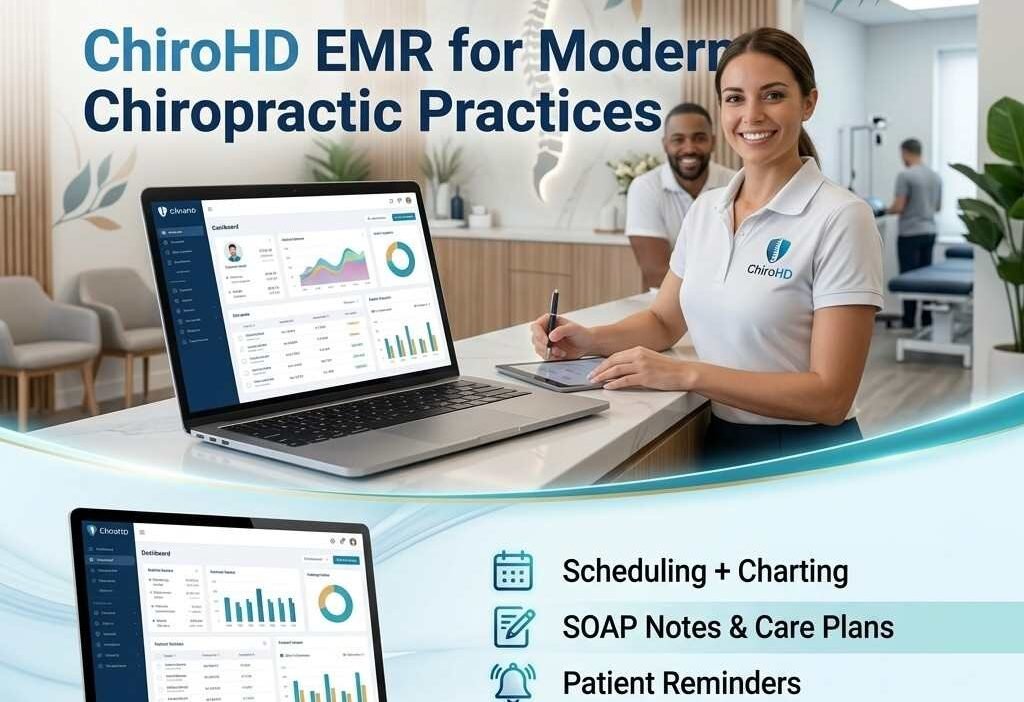
ChiroHD is a cloud-based chiropractic practice management and EHR platform built specifically around chiropractic workflows. The software combines clinical documentation with scheduling, patient engagement, reporting, and other practice-management tools.
What Is ChiroHD EMR?
ChiroHD EMR is designed to help chiropractic offices manage patient information and everyday clinical workflows in one online system. Instead of relying on paper charts or several disconnected applications, practices can organize important information through a centralized platform.
The ChiroHD Software environment is focused on chiropractic care rather than trying to serve every type of medical specialty. This specialization can be useful for offices that want their documentation and administrative workflows to reflect how chiropractic practices operate.
Because ChiroHD is cloud-based, the system can be accessed through a web browser rather than depending on a traditional desktop installation.
Which Workflows Can ChiroHD Manage?
A chiropractic office may handle dozens of small tasks during a normal working day. ChiroHD brings several of these activities into one system.
Practices can use the platform for areas such as:
- Appointment scheduling
- Patient records
- Chiropractic charting
- SOAP documentation
- Care plans
- Patient reminders
- Communication
- Reporting
- Practice administration
Having these functions connected can help staff spend less time moving information between different tools.
What Are the Main ChiroHD Features?
The ChiroHD Features are centered on making chiropractic documentation and office management more practical.
Its charting tools are particularly relevant to providers who regularly create similar types of clinical notes. Chiropractic-specific templates and SOAP macros can help reduce repetitive documentation.
The platform also includes scheduling and patient communication tools. Automated reminders can help offices keep patients informed about upcoming appointments, while communication features support ongoing interaction with patients.
Reporting and management capabilities can provide practices with another way to review operational information.
How Does ChiroHD Handle Patient Charting?
Charting is one of the areas where specialty-focused software can make a noticeable difference. ChiroHD provides chiropractic-oriented documentation tools instead of requiring providers to build every workflow from scratch.
SOAP macros can be used for frequently documented information, while features such as autocomplete can make note creation more efficient. Providers can also work with previous documentation when continuing a patient’s care.
For a busy chiropractic office, a consistent documentation process can make records easier to maintain while reducing unnecessary repetition.
How Does ChiroHD Login Work?
The ChiroHD login process is intended for authorized users of the platform. Since ChiroHD operates through the cloud, users generally access their account online rather than opening a locally installed EMR application.
The ChiroHD EMR login is relevant for chiropractors and staff members who need access to patient records, scheduling, documentation, and administrative functions.
If you are trying to sign in to ChiroHD, use the official access method provided by ChiroHD and your organization’s credentials. Avoid using unofficial login pages when accessing patient information.
What Is ChiroHD Academy Used For?
Learning new healthcare software can take time, particularly when an entire practice is moving from paper records or another system.
ChiroHD Academy provides educational resources intended to help users understand the platform. Training materials can be useful for new employees as well as existing staff members who want to become more comfortable with different parts of the software.
Training can also make implementation easier because staff members have an opportunity to learn workflows before relying on them during a busy clinic day.
Can ChiroHD Improve Patient Communication?
Patient communication is another important part of running a chiropractic practice. Missed appointments, unanswered messages, and forgotten follow-ups can create additional administrative work.
ChiroHD includes communication and reminder capabilities that can help practices stay connected with patients. Automated appointment reminders can reduce the need for staff to contact every patient manually.
Two-way messaging can also provide a more convenient communication channel for practices that want to communicate with patients digitally.
What Does ChiroHD Pricing Include?
ChiroHD Pricing depends on the plan and current terms offered by the provider. Software costs can also involve implementation or other setup-related expenses, so practices should review the latest pricing information before making a purchasing decision.
When evaluating ChiroHD Cost, it is useful to look beyond the monthly subscription. Consider the number of providers, staff requirements, onboarding, data migration, training, and any additional services your practice may need.
A proper cost comparison should therefore consider the complete expense of adopting the system rather than focusing only on the advertised subscription.
Is ChiroHD EMR Software Free?
The question “Is ChiroHD EMR Software Free?” is important for smaller practices that need to control expenses.
ChiroHD is a commercial software platform rather than a permanently free chiropractic Electronic Health Record. However, promotional offers or special programs may change over time.
Practices should check the current terms directly with the provider instead of assuming that an older offer or previous pricing arrangement is still available.
What Can You Learn From a ChiroHD Demo?
A ChiroHD Demo can give a practice a practical look at the software before purchasing it.
Rather than judging the platform from a feature list alone, a demo lets a practice examine how common tasks fit into its daily workflow. For example, staff can look at scheduling, while providers can focus on charting and documentation.
A useful demo should answer questions such as:
- How quickly can staff learn the system?
- Does charting fit the practice’s workflow?
- Is scheduling straightforward?
- How does patient communication work?
- What training is included?
- What happens during implementation?
These questions can make the evaluation more relevant to the actual needs of the office.
What Do ChiroHD Reviews Say About the Platform?
ChiroHD Reviews can provide useful insight into how practices perceive the platform, but individual experiences can vary.
When reading reviews, pay attention to comments about areas that matter most to your practice. For example, a chiropractor may care more about charting speed, while an office manager may focus on scheduling, communication, reporting, or onboarding.
It is also worth comparing reviews from different sources rather than relying on testimonials from a single website.
Should You Buy ChiroHD Software?
The decision to buy ChiroHD Software depends on the workflow and requirements of the chiropractic practice.
It may be relevant for offices looking for a specialty-focused system that combines clinical documentation with practice-management functions. Practices already using multiple disconnected tools may also want to examine whether consolidating their workflow could simplify daily operations.
Before deciding to get ChiroHD Software, compare its workflow with your current system, review the available training, understand the total cost, and test the features that your staff use most frequently.
Is ChiroHD Suitable for Growing Practices?
A growing chiropractic office may need software that can support increasing appointment volumes, additional providers, or multiple locations.
ChiroHD includes management capabilities intended to support chiropractic practices as their operations develop. However, the right fit depends on the size and structure of each organization.
A small independent office may have different requirements from a larger chiropractic group, so evaluating the software against actual operational needs is important.
Final Thoughts
ChiroHD takes a specialty-focused approach to electronic records and practice management for chiropractors. Its combination of charting, scheduling, patient communication, reminders, care planning, and reporting makes it more than a simple digital record system.
For practices considering a new platform, the most useful next step is to explore the current ChiroHD Pricing, request a ChiroHD Demo, and review the available training resources. This provides a clearer picture of how the software would fit into everyday chiropractic operations.
FAQs
1. What is ChiroHD EMR?
ChiroHD EMR is a cloud-based platform designed to support chiropractic clinical documentation and practice-management workflows.
2. Does ChiroHD require software installation?
ChiroHD is cloud-based, so it is generally accessed through a web browser rather than installed like traditional desktop software.
3. What is ChiroHD Academy?
ChiroHD Academy provides educational resources and training materials to help users learn how to work with the platform.
4. Is ChiroHD free?
ChiroHD is a commercial software platform. Current pricing and any promotional programs should be confirmed with the provider.
5. Where can I access ChiroHD?
Authorized users can access ChiroHD online using the provider’s official login process and their account credentials.